

How to upload supporting documents
Candidates must upload all required supporting documents to their application in the Single Candidate Portal before the deadline for uploading supporting documents indicated in the Notice of Competition. Failure to do so may lead to disqualification from the competition (see Annex “General rules” of the Notice of Competition, section “Disqualification from the competition”).
Documents can be uploaded at different stages of the process:
- Before the application deadline:
documents should be uploaded via “My account” → “My CV”, to the relevant CV records.
After uploading the documents, make sure to submit your application. Otherwise, the uploaded documents will not be linked to your application.
- After the application deadline (and before the deadline for uploading supporting documents):
documents must be uploaded directly to the relevant application and not to your account’s CV section. Any documents added to your CV after the application deadline will not automatically transfer to the submitted application and will not be visible to EPSO or the Selection Board.
To upload documents directly to your application:
- Go to: My account → My applications → My submitted applications
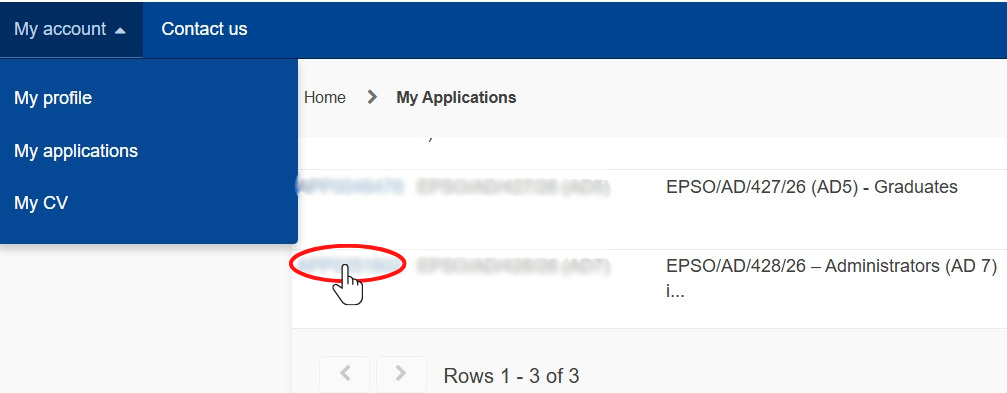
- Click on your application’s unique ID.
- Scroll down to the existing entries for Education & Training, Professional Experience, etc.

4.Attach the documents using the paperclip icon. They can be in any of the 24 official EU languages and may be uploaded in PNG, JPG, or PDF format. The maximum file size is 20MB per document.
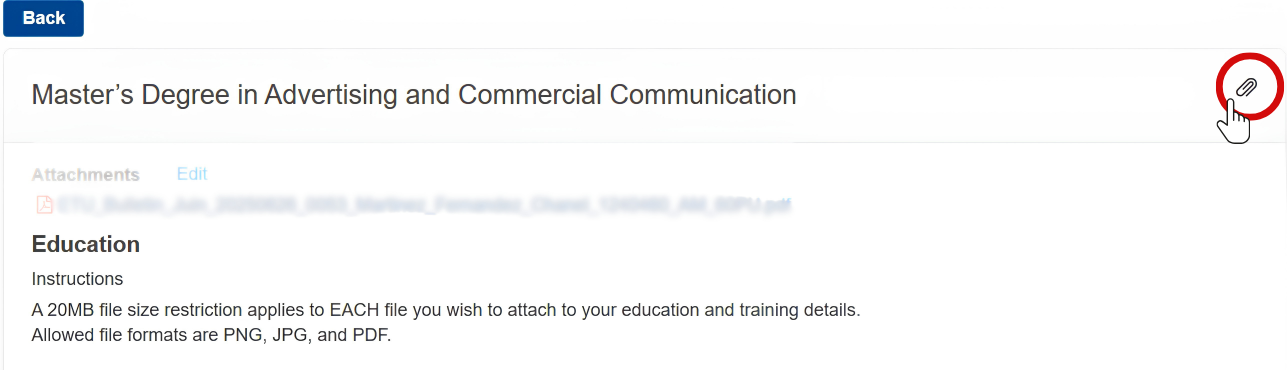
Documents are saved automatically. There is no save button.
The Selection Board will only consider documents uploaded to the relevant section of the application.